Employers can log in to Ontrack Staff Hub to manage their block bookings, provided you have carried out the following tasks:
- Applied the EBS4BlockBooking and EBS4OntrackEmployer licences
- In the curriculum module:
- In the organisation management module:
- Add the organisation, if required
- Approve the employer's organisation for invoicing by selecting the relevant Approved for Invoicing check box in Organisation Details, if required
- Add the employer as a contact in their organisation record and assign a primary contact to receive booking reminder emails
- In the user management module:
Search for and add the employer as a user, ensuring to note their username and password
Important.When using the User Search, the Non Staff option must be selected from the User Type field to be able to locate employers.- Assign the following roles to the employer in the user management module:
- Employer (in the EBS Ontrack primary roles group)
Block Bookings within my Organisation (in the EBS Central Curriculum group)
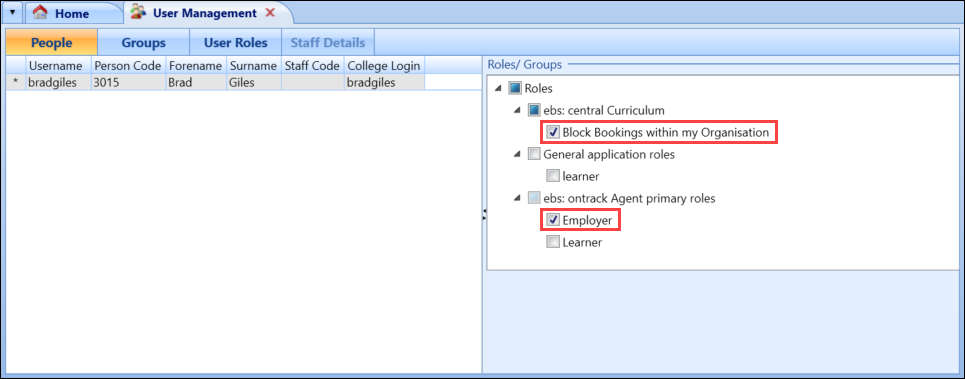 Important.Non-staff users (that is: those who do not have a staff code) can only be assigned a limited number of roles.
You can then provide the employer with their login details.
On logging in as an employer, a limited view of Ontrack Staff Hub is displayed.
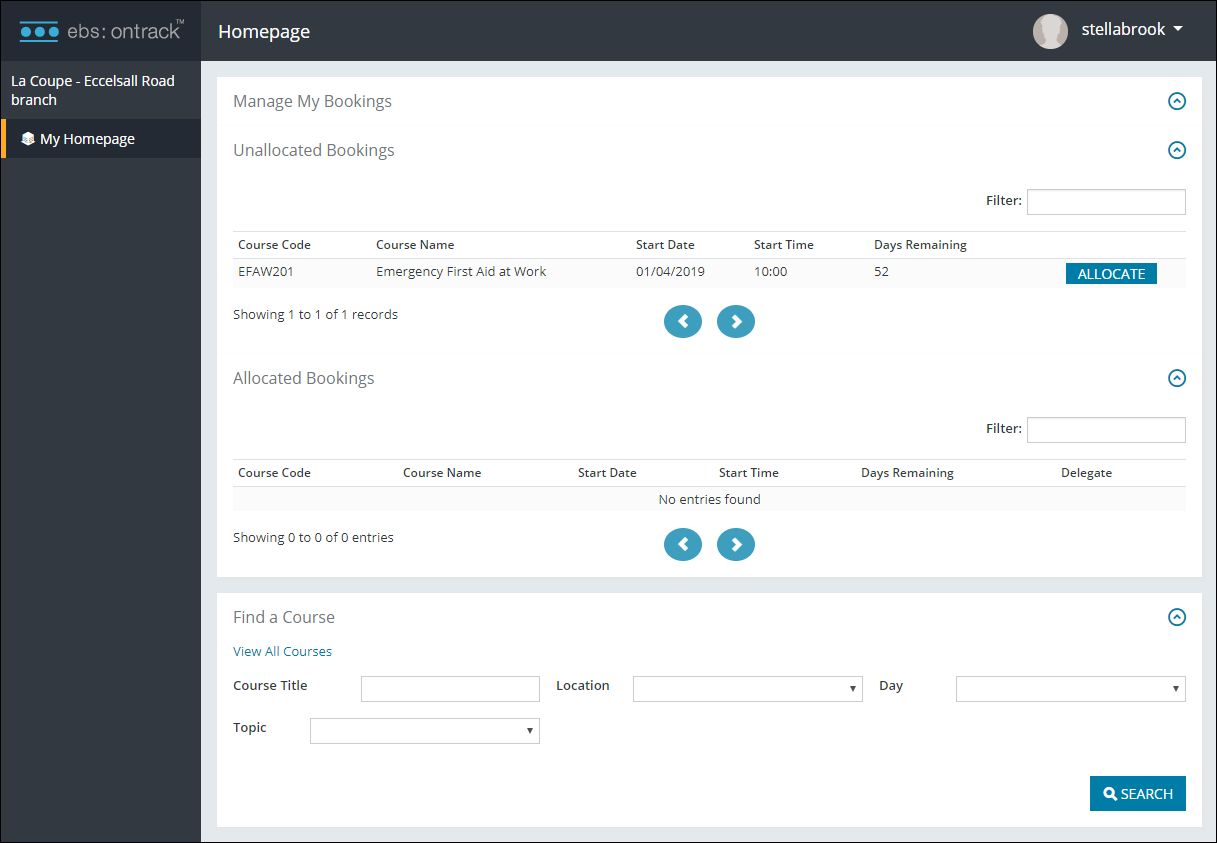
Refer to Use Ontrack Hub as an Employer for further information.